ImageTranslate

Free AI Document Translator

Translate DOCX, plain text, or Markdown while preserving paragraphs, tables, headings, and formatting.

Source language
Target language
Translation model

Pick a file first — you will see the credit estimate before anything is charged.

  • DOCX, TXT and MarkdownOne translator for common editable document formats.
  • Document structure preservedKeep paragraphs, headings and tables organized.
  • 16 supported languagesAutomatic source detection and multiple AI models.
  • Background jobsLarge document translations continue in the queue.

An online document translator for working files

Translate the document instead of moving paragraphs through a copy-paste loop. The browser workspace keeps the source format and translation job together.

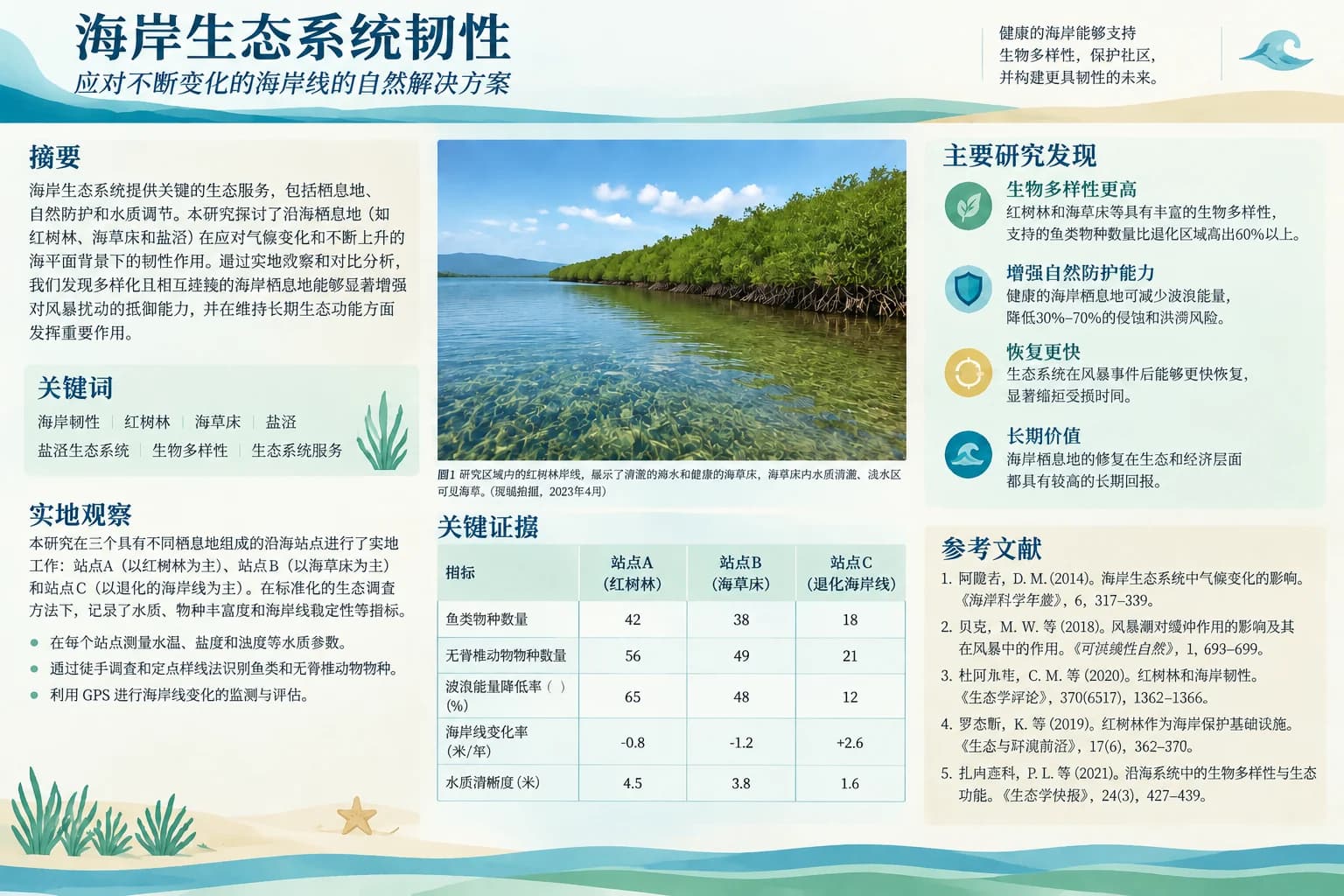
Contracts and policies - Translated
Contracts and policies - Original
OriginalTranslated
DOCX translation

Contracts and policies

Create working translations of agreements, policies and compliance material for multilingual review.

Translate Word documents while preserving useful structure such as headings, paragraphs, lists and tables wherever possible.

Illustrative example; results vary with the source, language and model.

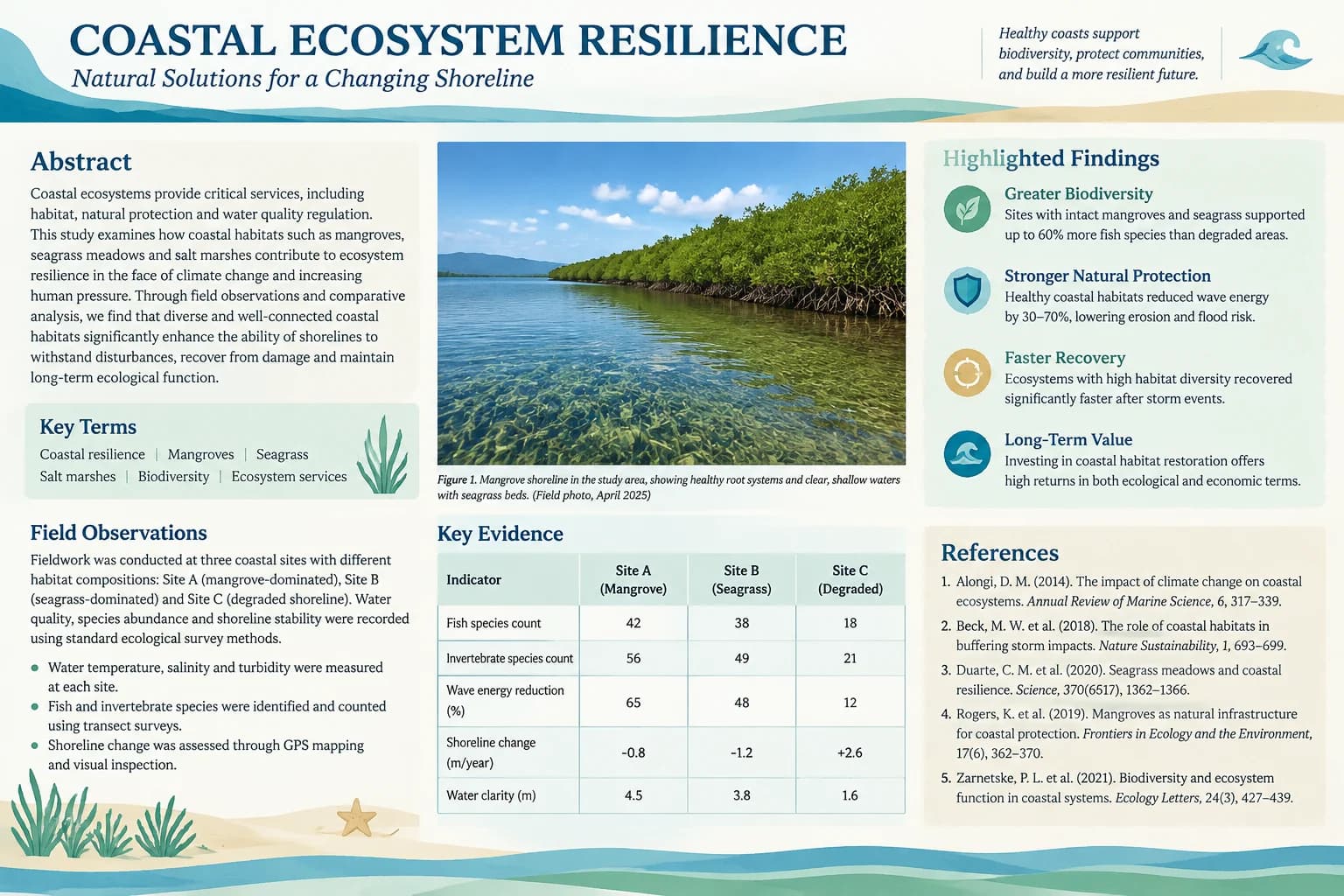
Product and marketing copy - Translated
Product and marketing copy - Original
OriginalTranslated
Plain text and Markdown

Product and marketing copy

Translate product descriptions, campaign briefs and content drafts while keeping headings and sections organized.

Use the same workflow for TXT, MD and Markdown files when content matters more than visual page layout.

Illustrative example; results vary with the source, language and model.

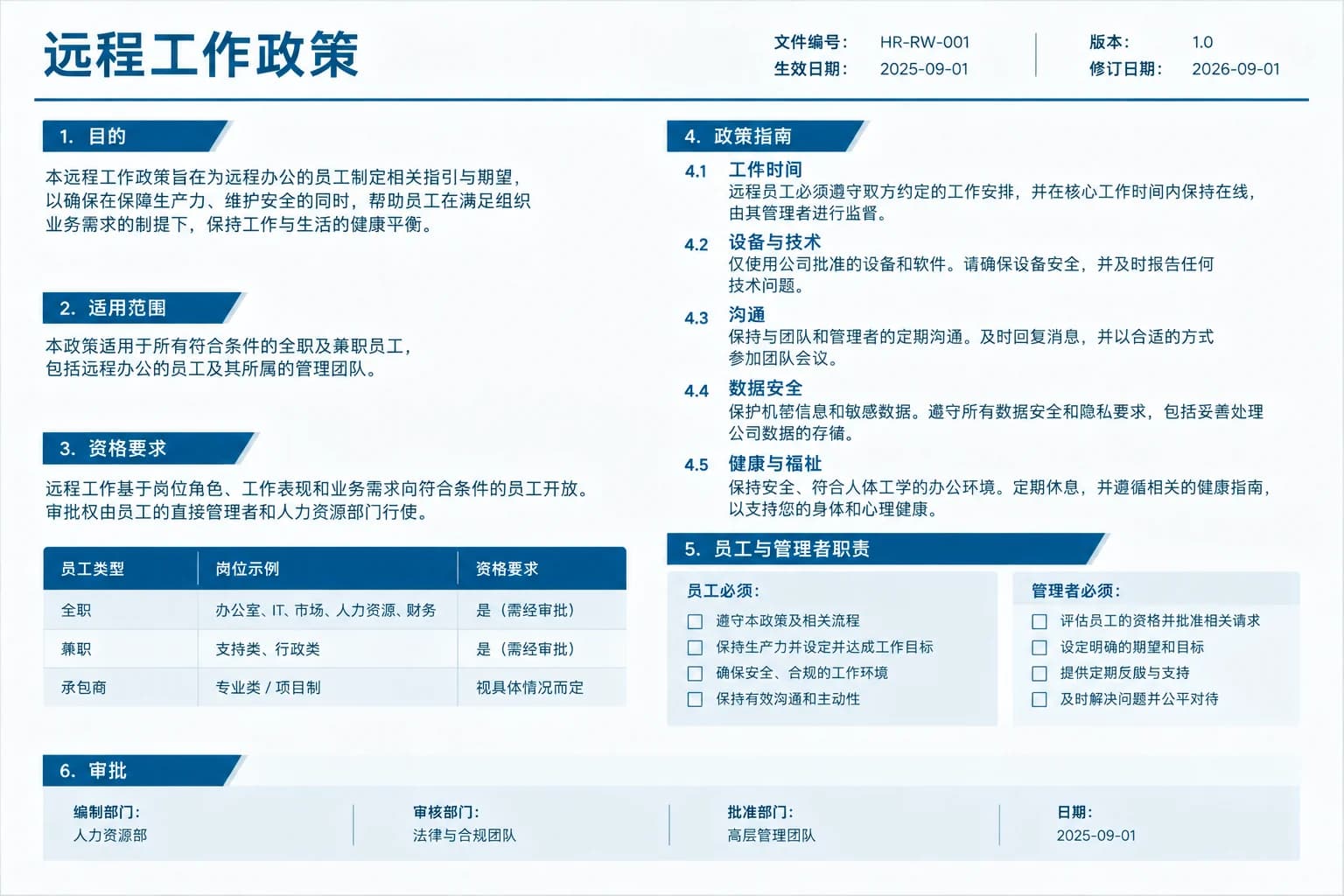
Internal operations - Translated
Internal operations - Original
OriginalTranslated
Structure-aware processing

Internal operations

Localize SOPs, onboarding documents, meeting notes and knowledge-base drafts for distributed teams.

Keep sections and reading order together so long documents are easier to review after translation.

Illustrative example; results vary with the source, language and model.
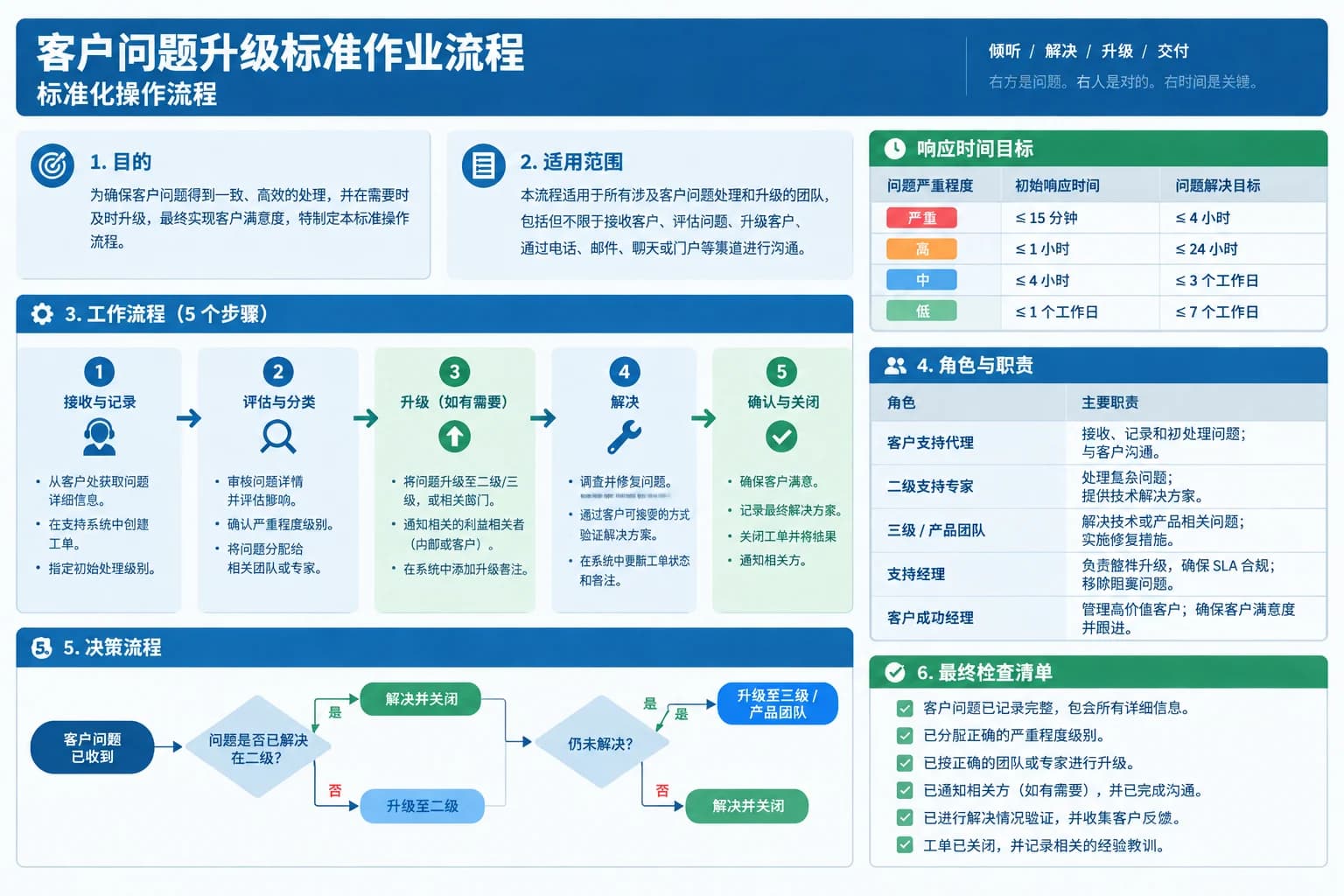
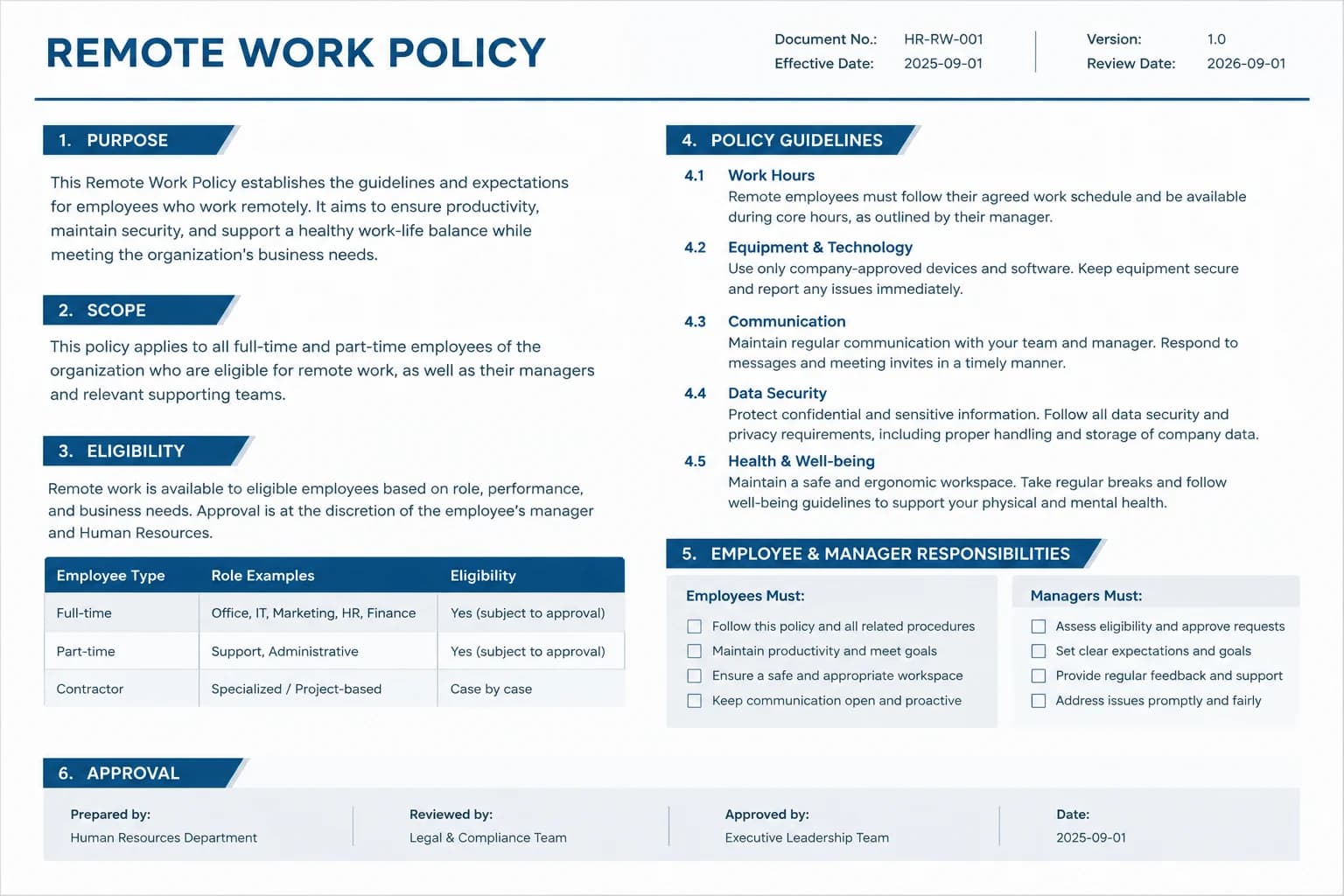
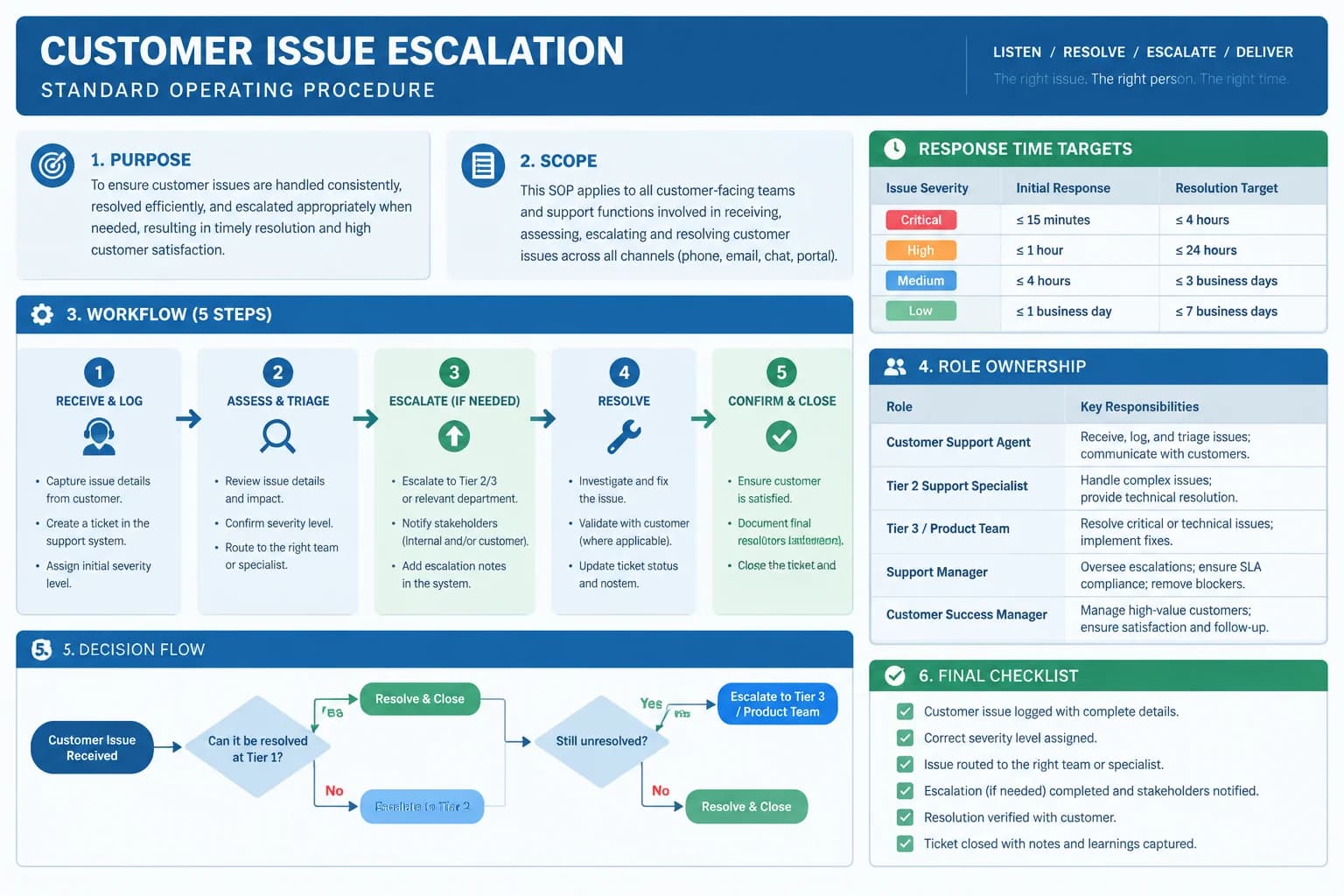
Study and research - Translated
Study and research - Original
OriginalTranslated
Estimate before submission

Study and research

Translate essays, notes, course material and research drafts without breaking the document into small text boxes.

The workspace analyzes the file and shows estimated credit use before the translation job is created.

Illustrative example; results vary with the source, language and model.
Choose the AI model

Select from available text translation models to match your speed, language and content requirements.

Download from My Space

Long-running files continue in the background and remain available with their status and output files in your account.

How to translate a document online

Upload an editable file, choose the language and model, then download the translated output after the background job finishes.

01Upload a document

Choose a DOCX, TXT or Markdown file. The uploader checks the format and your plan's document size limit.

02Choose the translation setup

Use automatic source detection or set the language, choose a target language and select the AI model.

03Start the job and download

Review estimated credits, submit the document and download the translated file when processing is complete.

Frequently asked questions

Can I translate a Word document online for free?

Yes. A free account includes credits you can use to test document translation. Longer files and regular translation work may require a paid plan.

Which document formats are supported?

The document translator accepts DOCX, TXT, MD and Markdown files. Use the PDF translator for PDF files and the PowerPoint translator for PPTX presentations.

Will a translated DOCX keep its formatting?

ImageTranslate is designed to preserve useful document structure such as headings, paragraphs, lists and tables wherever the source allows. Review complex formatting and page breaks after download.

Can it translate long documents?

Yes. Large documents are submitted as background jobs. You can leave after the job enters the queue and return to My Space to follow progress or download the finished file.

How many languages are supported?

The document translator supports 16 popular languages with automatic source detection. Available AI models can be selected before you submit the file.

How are document translation credits estimated?

The file is analyzed after upload and the workspace shows an estimated credit cost before submission. The final charge is based on the content actually processed.

Should legal documents be reviewed by a human?

Yes. AI translation can create a useful working draft, but contracts, regulated content and other high-stakes documents should be checked by a qualified reviewer before use.

Translate a document without losing the workflow

Upload a DOCX, TXT or Markdown file, select the language and download the translated output.

Document translation vs paragraph-by-paragraph copy and paste

Copy-paste translation loses the file context and creates repetitive formatting work. A document workflow keeps the content together from upload to download.

Document translation vs paragraph-by-paragraph copy and paste
CompareImageTranslateCopy-paste translation
Source formatsDOCX, TXT and Markdown filesSelected text only
StructureSections and reading order remain togetherFormatting and context are separated
Long filesQueued once and tracked in the backgroundRepeated manual chunks and transfers
OutputTranslated file available for downloadLoose text to rebuild into a document

Choosing between the document, PDF and text translators

Use the document translator when the source is an editable DOCX, TXT or Markdown file and you want a translated file back. Keeping the original source format gives the system useful structure and reduces the manual work needed after translation.

Use the PDF translator when the source is already a PDF, especially if page layout, scanned pages or a specific page range matters. Use the text translator for a short passage you want to paste, translate and copy immediately without uploading a file.

For important business, legal or published material, treat AI output as a strong first draft and have a qualified reviewer check terminology, names, figures and obligations. Final approval should match the risk and purpose of the document.